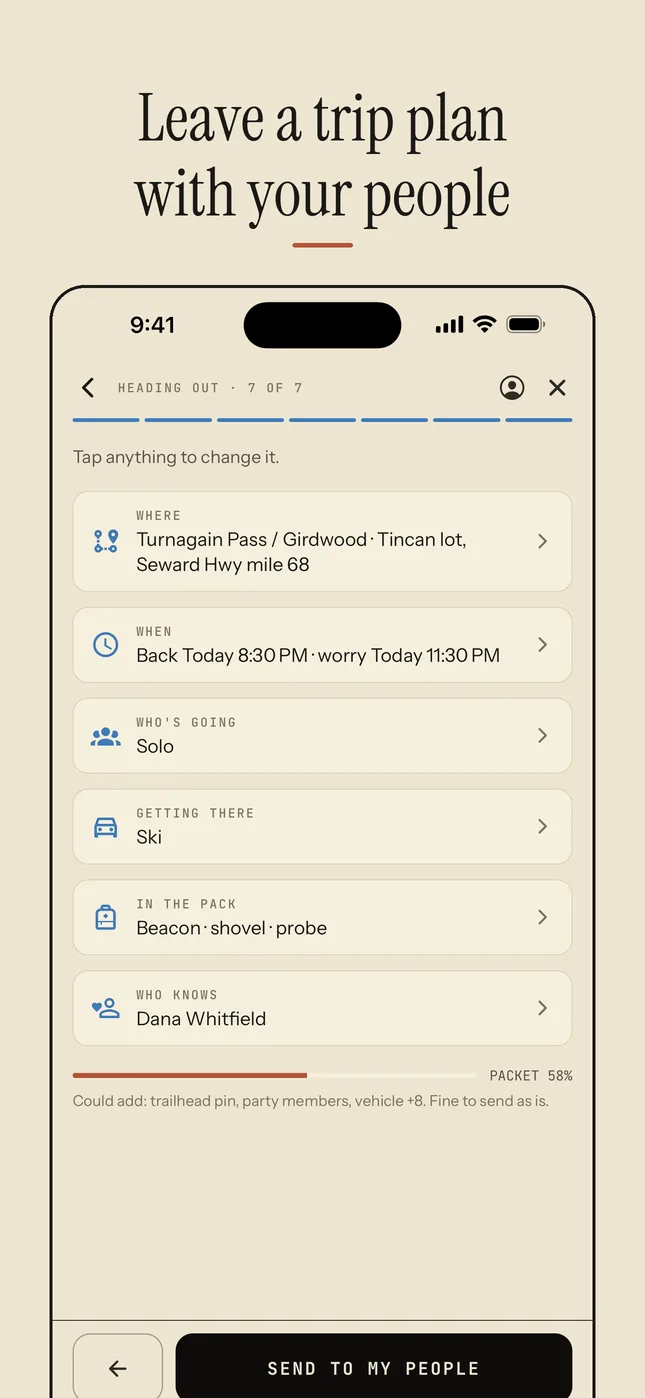
Seven steps, then send
What goes in the plan
Fill in your profile once (vehicle, gear, what you wear, emergency contacts, medical notes) and every plan after that is prefilled. Most trips are a few taps.
Step 1 of 7
Where
Pick the zone, where you parked and your route. Under More details: the area name, a trailhead pin and a Plan B.
Step 2 of 7
When
Back in 2, 4, 6 or 8 hours, or a time you pick, then how long after that your people should start worrying.
Step 3 of 7
Who's going
Add the party, or go solo.
Step 4 of 7
Getting there
How you're travelling and your vehicle, so someone can find it at the trailhead.
Step 5 of 7
In the pack
What you're wearing and carrying, and your satellite messenger's share page.
Step 6 of 7
Who knows
Choose your contacts and when they hear from Whumpf: now and if you're late, or only if you're late. Each needs an email and a phone number.
Step 7 of 7
Send
Review the plan and send it to your people.
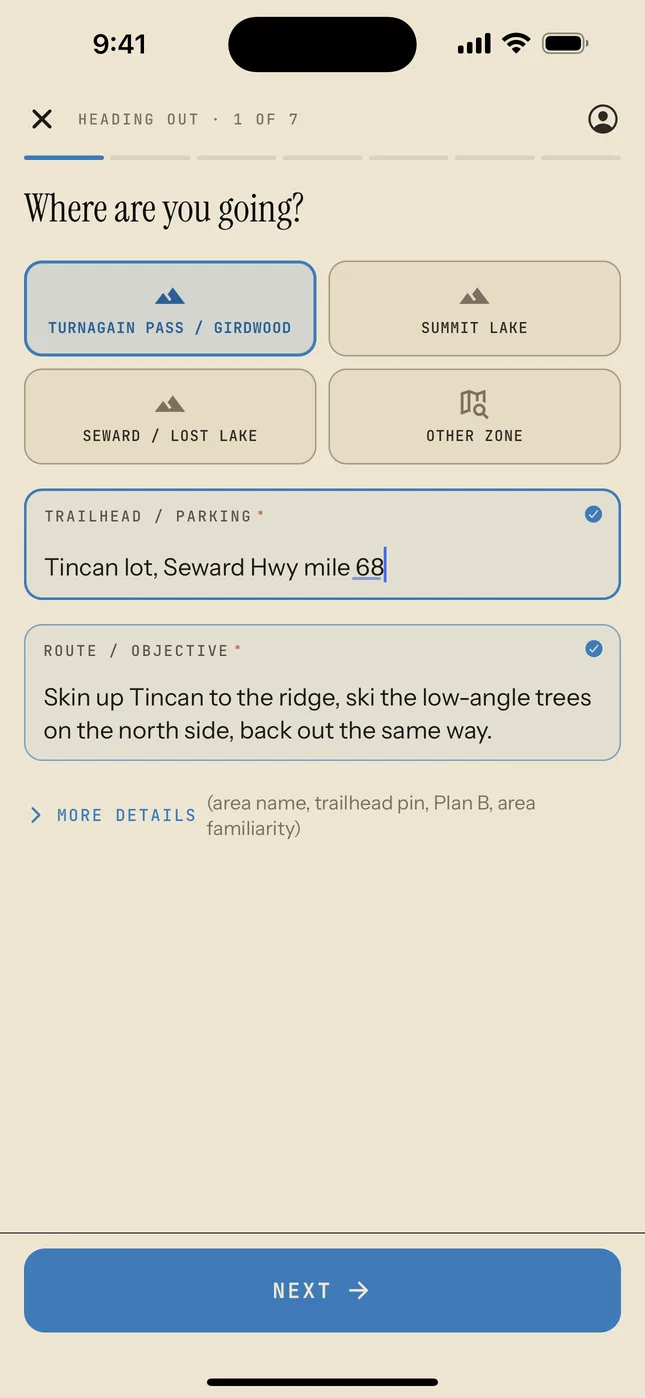
Step 1 · Where
Tap a saved zone, then the trailhead and your route.
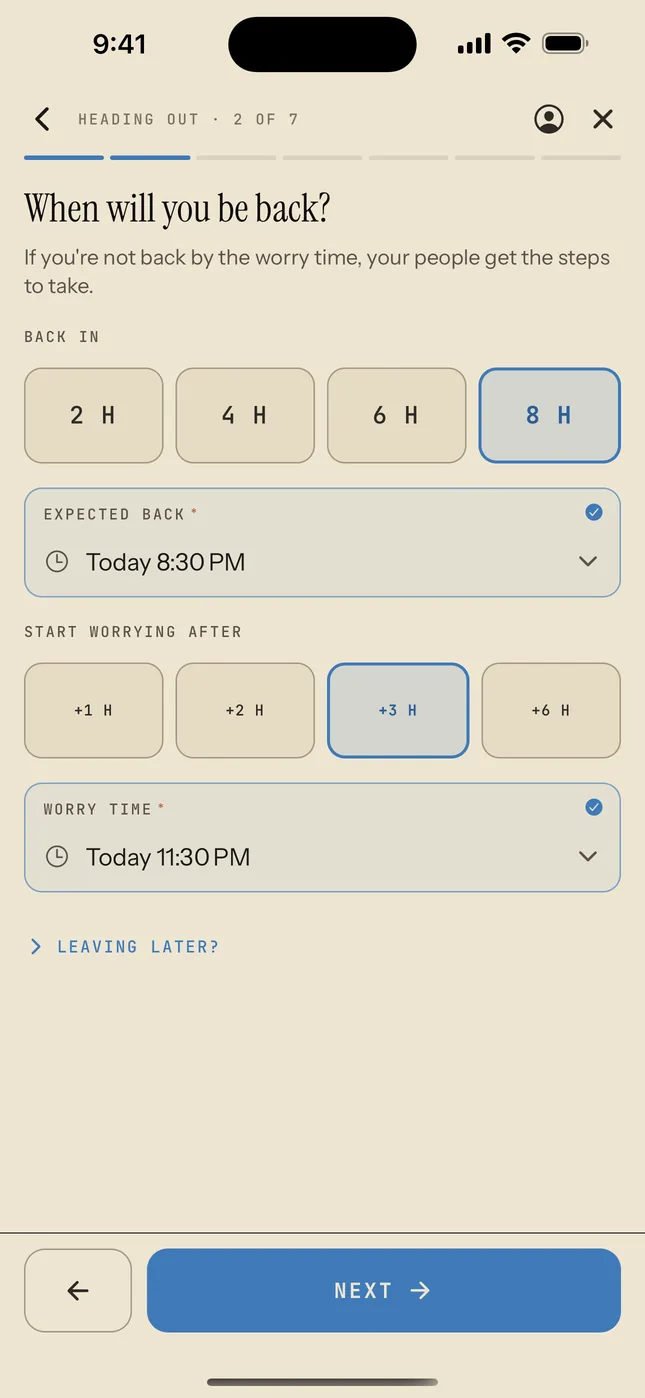
Step 2 · When
Back in a few hours, and when your people should start worrying.
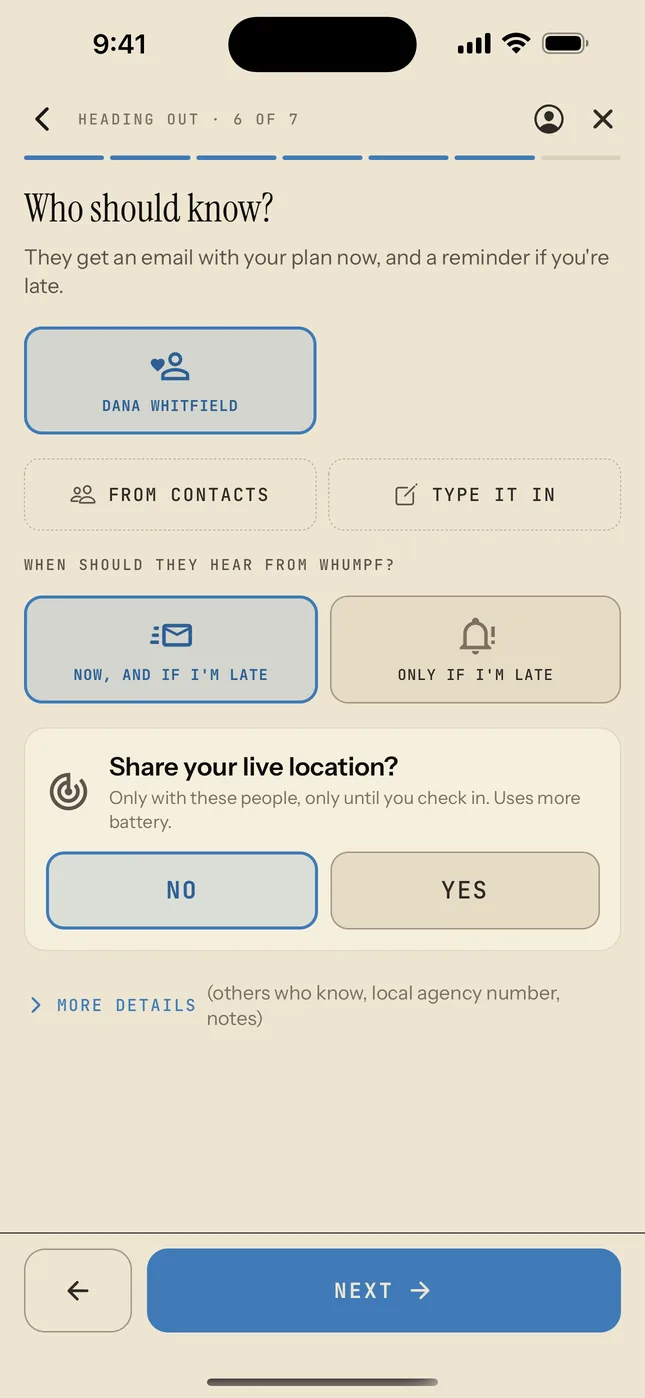
Step 6 · Who knows
Who gets the plan, when they hear from Whumpf, and live location.